
Video content is everywhere — from YouTube and TikTok to webinars, podcasts, and online courses. But creating great content is only half the battle. The real magic happens when you repurpose that content into multiple formats to maximize reach and ROI. That’s where video repurposing tools come in. Platforms like Descript have changed how creators edit, transcribe, and transform videos into blogs, audiograms, social clips, and more.
TL;DR: Video repurposing tools like Descript help turn long-form content into bite-sized videos, transcripts, captions, and social media assets. These platforms use AI-powered editing, transcription, and automation features to save time and expand reach. In this guide, we explore six powerful alternatives to Descript, compare their strengths, and help you choose the right tool for your workflow.
Whether you’re a podcaster, marketer, course creator, or agency professional, here are six powerful video repurposing tools that can help you edit and reuse your content smarter and faster.
1. Kapwing
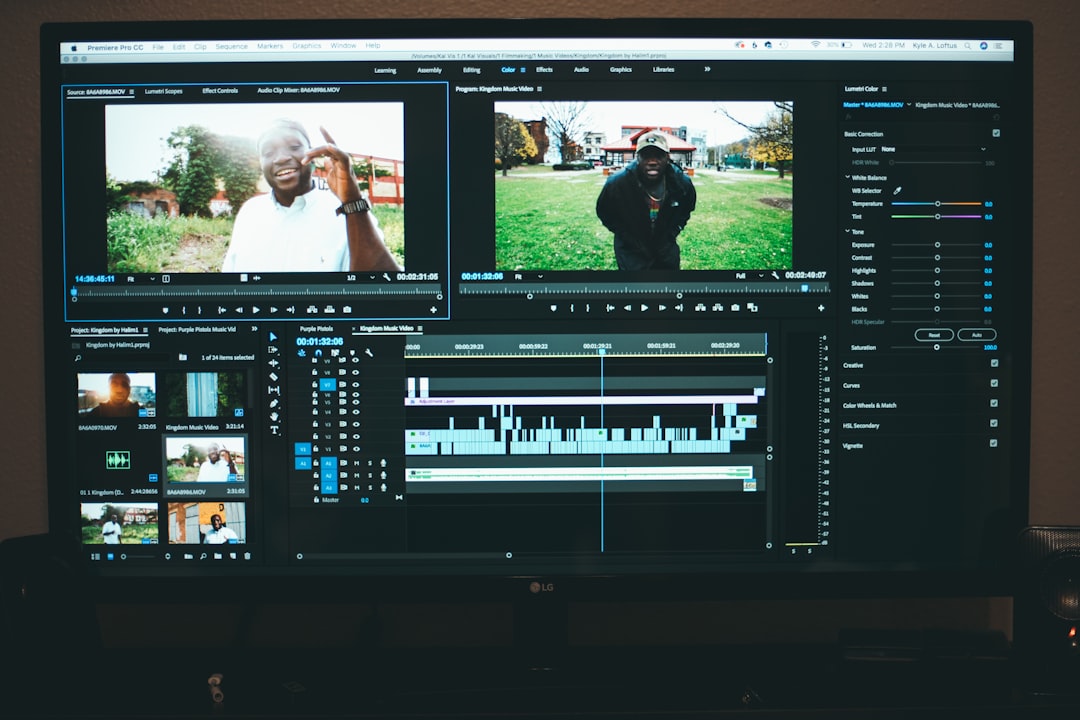
Kapwing is a browser-based video editing platform known for its simplicity and collaborative workflow. It offers AI-powered features that make repurposing content quick and accessible — even for beginners.
Key Features:
- Automatic subtitles with high transcription accuracy
- AI clip maker for turning long videos into short highlights
- Smart resizing for different social platforms
- Collaborative editing in the cloud
Kapwing shines when you need to turn a 60-minute webinar into TikTok clips, Instagram Reels, and captioned LinkedIn posts. Its built-in templates make it easy to export in the correct aspect ratio without manually adjusting dimensions.
Best for: Social media marketers and teams collaborating remotely.
2. Riverside
Originally known for high-quality remote recording, Riverside has evolved into a complete content repurposing platform. It now includes AI-powered transcription and clip generation tools that rival Descript’s features.
Key Features:
- High-resolution local recording (up to 4K video)
- Automatic transcription in multiple languages
- Magic Clips AI for short-form content
- Text-based trimming
What makes Riverside particularly strong is its end-to-end workflow. You can record, transcribe, edit, and publish — all in one ecosystem. Podcasters especially benefit from its studio-quality output combined with automated clip creation.
Best for: Podcasters and interview-based content creators.
3. VEED
VEED is another browser-based editing platform that blends user-friendly controls with powerful AI tools. It appeals to creators who want polished social content without mastering complex editing software.

Key Features:
- Auto subtitle generator with styling presets
- Text-to-speech and voice cloning
- Brand kits for consistent visuals
- Automatic background noise removal
One of VEED’s most useful repurposing functions is its subtitle styling. You can quickly add animated captions tailored for TikTok or Instagram — helping boost engagement without additional design tools.
Best for: Brand-focused creators who need visually consistent content.
4. Opus Clip
Opus Clip specializes in turning long videos into viral short-form clips using AI. Unlike traditional editors, this tool focuses almost exclusively on intelligent content extraction.
Key Features:
- AI-powered highlight detection
- Virality scoring system
- Automatic reframing for vertical video
- Dynamic captions with keyword emphasis
Simply upload a long-form video — like a podcast or webinar — and Opus Clip analyzes it for compelling moments. The AI selects sections most likely to perform well based on speech patterns, keywords, and engagement signals.
Best for: Creators focused on short-form growth and viral reach.
5. Pictory
Pictory takes a slightly different approach to repurposing. It excels at converting scripts, blog posts, and long-form content into short, visually engaging videos.
Key Features:
- Automatic blog-to-video conversion
- Script-based editing
- Large stock footage library
- AI summarization for long videos
If you already have a transcript or blog article, Pictory can transform it into a video using stock footage and voiceover. This makes it ideal for content marketers looking to multiply content formats without additional filming.
Best for: Bloggers and SEO marketers expanding into video.
6. Wisecut
Wisecut is designed to automate tedious editing tasks, especially for talking-head videos. Its AI identifies pauses, filler words, and silent gaps — then removes them automatically.
Key Features:
- Automatic silence removal
- AI storyboard editing
- Auto subtitles and translations
- Background music that auto-adjusts to speech
Wisecut is ideal for creators who want polished videos without manually scrubbing through timelines. Upload your footage, and the AI delivers a trimmed, clean version ready for distribution.
Best for: Solo creators and educators producing frequent talking-head content.
Comparison Chart
| Tool | Best For | AI Transcription | Short Clip Creation | Social Resizing | Automation Level |
|---|---|---|---|---|---|
| Kapwing | Social teams | Yes | Yes | Yes | Medium |
| Riverside | Podcasters | Yes | Yes | Limited | Medium |
| VEED | Brand creators | Yes | Basic | Yes | Medium |
| Opus Clip | Viral short clips | Yes | Advanced | Auto vertical | High |
| Pictory | Blog to video | Yes | Basic | Yes | High |
| Wisecut | Talking head videos | Yes | No | Limited | High |
What to Look for in a Video Repurposing Tool
Not every tool fits every workflow. When choosing a platform similar to Descript, consider these factors:
- Editing Style: Do you prefer text-based editing or timeline editing?
- Automation Level: How much control do you want versus AI handling everything?
- Output Formats: Does it support vertical, square, and horizontal exports?
- Collaboration: Will multiple team members need access?
- Content Source: Are you repurposing videos, blogs, podcasts, or all of the above?
For example, if your main goal is viral short-form growth, Opus Clip may be your best bet. If you want to convert blog posts into videos for YouTube SEO, Pictory could be more suitable.
Why Repurposing Matters More Than Ever
Content creation is time-intensive. Recording one 45-minute podcast episode might take hours of preparation, editing, and publishing. Repurposing enables you to turn that single asset into:
- 10–20 short social clips
- A blog post
- An email newsletter
- Quote graphics
- LinkedIn thought leadership posts
Instead of constantly creating new content, you amplify what you’ve already made. This approach increases visibility without exponentially increasing workload.
In short: repurposing isn’t just efficient — it’s strategic.
Final Thoughts
Descript remains a powerful player in the content editing space, especially with its innovative text-based editing and overdub features. However, the tools listed above offer compelling alternatives depending on your goals, budget, and workflow preferences.
Whether you need high-end recording and clipping (Riverside), viral short generation (Opus Clip), blog-to-video creation (Pictory), or streamlined social editing (Kapwing and VEED), there’s no shortage of powerful solutions available.
The future of content isn’t just about creating more — it’s about maximizing what you already create. With the right video repurposing tool, one piece of content can fuel your entire marketing engine.
And in today’s fast-moving digital landscape, that advantage makes all the difference.