
Buying IT services in Dallas can feel like ordering barbecue for a big party. You know you need it. You know quality matters. But the price can change fast once you add sides, sauces, delivery, and extra hungry guests. The same is true for tech support, cybersecurity, cloud services, and network care.
TLDR: Dallas IT services can cost anywhere from a few hundred dollars per month to several thousand, depending on your company size, risk level, and support needs. The biggest cost drivers are the number of users, devices, security tools, cloud systems, and response time. A good budget should include monthly support, one time projects, cybersecurity, backups, and future growth. The cheapest plan is not always the safest plan.
Why IT Costs Matter in Dallas
Dallas is a busy business city. It has law firms, clinics, real estate groups, restaurants, construction companies, startups, and large offices. Each one uses technology in a different way.
A small design studio may only need help with laptops and email. A medical office may need secure systems, compliance support, backups, and fast help when things break. A warehouse may need WiFi, scanners, cameras, and point of sale systems.
So there is no single magic price. IT pricing is more like a menu. You pick what your business needs. Then you build a smart monthly budget.
The goal is simple: keep your business running, protect your data, and avoid expensive surprises.
Image not found in postmetaCommon Pricing Models for Dallas IT Services
Most Dallas IT companies use one of a few pricing models. Each has pros and cons. Let’s break them down in plain English.
1. Hourly IT Support
Hourly support is the “call us when something breaks” model. You pay for time used.
- Typical cost: about $100 to $250 per hour.
- Best for: very small businesses with simple needs.
- Risk: costs can spike during a crisis.
This can work if you only need rare help. But it can be stressful. If your server fails on Monday morning, the clock starts ticking. Fast.
2. Managed IT Services
Managed IT services are more like a gym membership for your technology. You pay a monthly fee. The provider monitors, maintains, updates, and supports your systems.
- Typical cost: about $100 to $300 per user per month.
- Best for: businesses that need steady support.
- Benefit: predictable monthly spending.
This is a popular choice in Dallas. It helps companies avoid panic spending. It also encourages the IT provider to prevent problems before they explode.
3. Per Device Pricing
Some IT companies charge by device. That means each laptop, desktop, server, or network device has a monthly cost.
- Typical cost: $50 to $150 per workstation per month.
- Servers: often $200 to $500 per server per month.
- Best for: companies with shared computers or many devices.
This model can be easy to understand. But watch the details. Phones, tablets, printers, firewalls, and access points may be extra.
4. Flat Rate Packages
Flat rate packages bundle many services into one monthly price. This may include help desk, patching, monitoring, antivirus, backups, and vendor support.
- Typical cost: $1,500 to $10,000 or more per month.
- Best for: growing businesses that want one clean bill.
- Watch for: limits, exclusions, and after hours fees.
Flat rate plans can be great. But read the fine print. “Unlimited support” sometimes has limits hiding in the bushes.
What Affects the Cost?
IT pricing is shaped by many things. Think of these as the toppings on your tech taco. Some are basic. Some cost more. Some are totally worth it.
Number of Users
More people means more accounts, more devices, more passwords, and more support tickets. A 10 person company may pay $1,500 to $3,000 per month. A 50 person company may pay $7,500 to $15,000 per month.
That is not a rule. It is a starting point. Your actual cost depends on complexity.
Number of Devices
Every device needs care. Laptops need updates. Servers need monitoring. Firewalls need security rules. Printers need patience and maybe a small miracle.
If your team uses many devices, your support cost may rise. This is normal.
Cybersecurity Needs
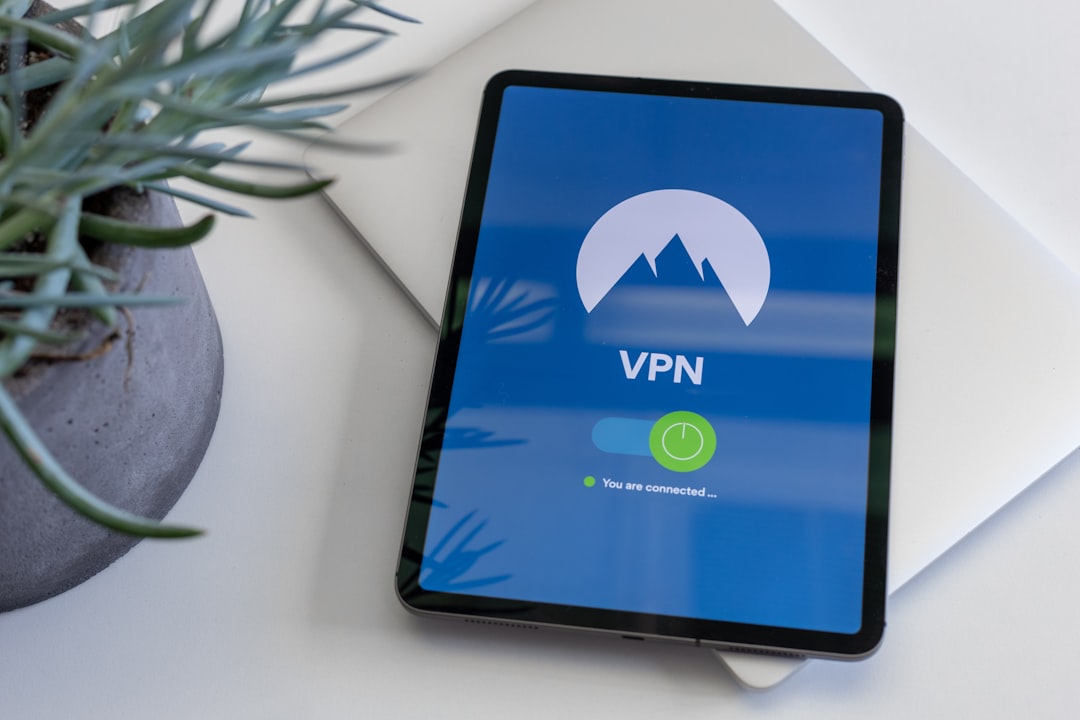
Security is a huge budget item now. Dallas businesses face phishing, ransomware, data theft, and fake invoice scams. Even small companies are targets.
Common security costs include:
- Endpoint protection for laptops and desktops.
- Email security to block phishing.
- Multi factor authentication to protect logins.
- Security monitoring to spot strange behavior.
- Employee training to reduce human mistakes.
Good security is cheaper than a ransomware event. That may sound dramatic. It is also true.
Cloud Services
Many Dallas companies use Microsoft 365, Google Workspace, Azure, AWS, or hosted apps. These tools have monthly fees. They also need management.
Cloud costs may include licenses, storage, backups, migrations, setup, and security. A low license price can grow fast if you add advanced features.
Response Time
Do you need help within one hour? Or by the next business day? Faster response usually costs more.
For some businesses, fast help is critical. A law firm cannot wait all day for email to work. A clinic cannot ignore system downtime. A retail shop cannot have the checkout system frozen during lunch rush.
Compliance Requirements
Some industries have extra rules. Healthcare may need HIPAA support. Financial firms may need stronger controls. Government contractors may need special cybersecurity standards.
Compliance often adds cost. But fines, failed audits, and lost trust cost more.
Typical Dallas IT Services Budget Ranges
Here are simple budget examples. These are not quotes. They are planning ranges.
| Business Size | Basic Monthly Range | More Complete Monthly Range |
|---|---|---|
| 1 to 10 users | $500 to $2,000 | $2,000 to $4,000 |
| 11 to 25 users | $2,000 to $5,000 | $5,000 to $8,000 |
| 26 to 50 users | $5,000 to $10,000 | $10,000 to $15,000 |
| 51 to 100 users | $10,000 to $18,000 | $18,000 to $30,000+ |
Why such wide ranges? Because two 25 person companies can be totally different. One may use simple email and laptops. Another may use servers, cloud apps, compliance tools, remote access, and 24 hour support.
One Time IT Costs to Expect
Monthly support is only part of the budget. You should also plan for one time projects. These are the sneaky costs that jump out like a raccoon in a trash can.
Common one time costs include:
- New office setup: wiring, WiFi, firewalls, printers, and workstations.
- Cloud migration: moving email, files, or servers to the cloud.
- Cybersecurity rollout: adding new tools and policies.
- Hardware refresh: replacing old laptops, servers, or network gear.
- Disaster recovery planning: creating a plan for outages and data loss.
A small project might cost $1,000 to $5,000. A bigger migration may cost $10,000 to $50,000 or more. It depends on size and risk.
Do Not Forget Hardware and Software
Your IT provider fee may not include hardware or software. Ask this clearly. Do not assume.
You may need to budget for:
- Laptops and desktops.
- Monitors and docking stations.
- Firewalls and switches.
- WiFi access points.
- Backup systems.
- Microsoft 365 or Google licenses.
- Security software.
- Line of business apps.
A business laptop may cost $900 to $2,000. A business firewall may cost $700 to $5,000 or more. Software can be billed monthly or yearly.
Tip: replace old equipment before it fails. Waiting until it dies is exciting. But not in a fun way.
How to Build a Smart Dallas IT Budget
A smart budget is not just about price. It is about value. It helps you avoid downtime. It keeps your team productive. It protects your data.
Step 1: Count Your Users and Devices
Make a simple list. Count every employee, contractor, laptop, phone, server, printer, and network device. This gives you a clean starting point.
Step 2: Decide What Support Level You Need
Ask yourself:
- Can we wait a few hours for help?
- Do we need after hours support?
- Do we need onsite visits?
- Do we have remote workers?
- How expensive is one hour of downtime?
If downtime costs a lot, pay for stronger support. It is cheaper than sitting frozen while everyone stares at a spinning wheel.
Step 3: Add Security First
Security should not be an optional dessert. It is part of the meal. At minimum, plan for endpoint protection, email security, backups, and multi factor authentication.
Also budget for training. People click things. Nice people. Smart people. Busy people. Training helps them click fewer dangerous things.

Step 4: Budget for Backups
Backups are your safety net. But they must be tested. A backup that cannot restore is like an umbrella with holes.
Ask your provider:
- How often is data backed up?
- Where is it stored?
- How fast can we restore?
- Do you test restores?
Step 5: Plan for Growth
Dallas businesses grow fast. Your IT budget should stretch with you. If you plan to hire 10 people this year, include that in your forecast.
Also think about new locations, new software, and remote work. Growth is great. Surprise IT bills are less great.
Questions to Ask an IT Provider
Before you sign a contract, ask clear questions. Good providers will answer in plain language.
- What is included in the monthly fee?
- What is not included?
- Are onsite visits extra?
- Is after hours support included?
- What security tools are included?
- How do you handle backups?
- What response times do you promise?
- Do you help with vendor support?
- How often do you review our technology plan?
If the quote is confusing, ask for a simple version. You are not buying a mystery box. You are buying support for your business.
Red Flags in Cheap IT Pricing
A low price can look nice. But be careful. Cheap IT can become very expensive later.
Watch for these red flags:
- No cybersecurity included.
- No backup testing.
- Slow response times.
- Lots of hidden fees.
- No documentation.
- No clear service agreement.
- Only fixes problems, never prevents them.
The right provider should feel like a partner. Not a vending machine for emergency repairs.
Final Thoughts
Dallas IT services cost different amounts for different businesses. That is normal. Your best budget depends on users, devices, security, cloud tools, compliance, and support speed.
For many small and mid size Dallas companies, managed IT services offer the best balance. They create predictable costs. They reduce downtime. They also make planning easier.
Do not shop only by price. Shop by protection, clarity, and trust. Ask good questions. Budget for security. Plan for growth. And remember that great IT is like great air conditioning in Texas. You may not think about it every minute, but when it stops working, everyone notices.