Bulk Delete Post Meta
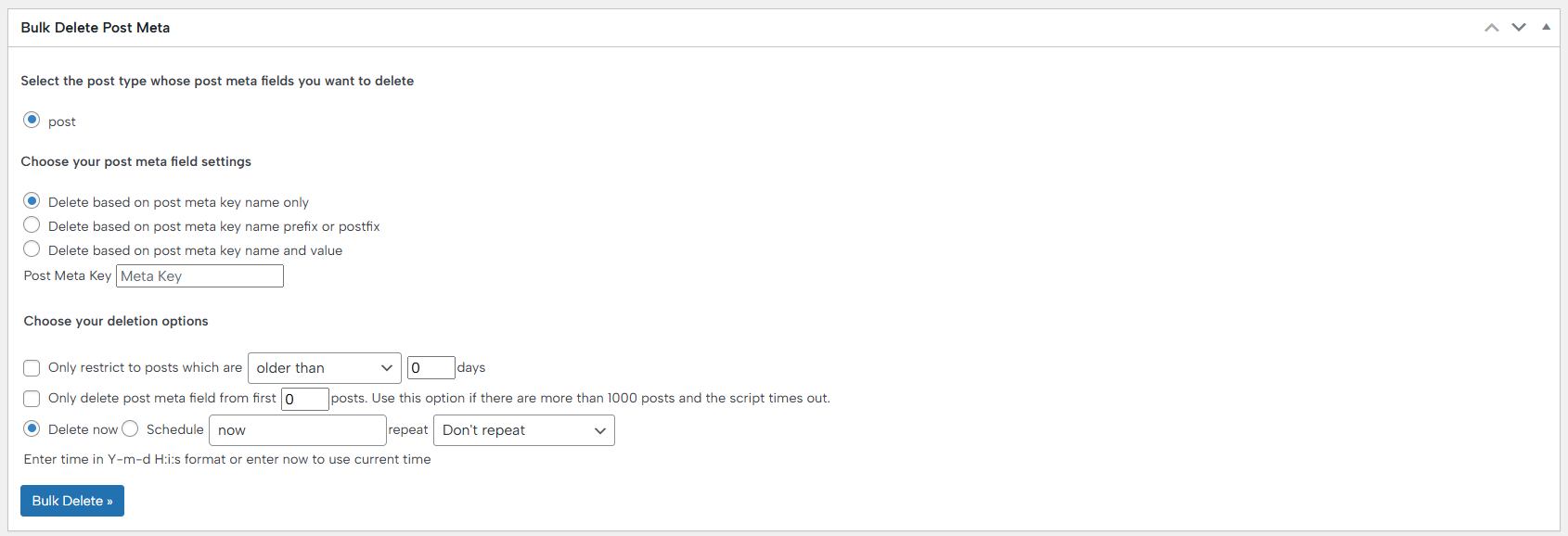
Bulk Delete Meta Fields is an advanced feature of the BulkWP plugin that gives you precise control over removing post metadata from your WordPress database. It allows you to select the exact post type from which meta fields should be deleted and then define how those meta fields are matched, whether by meta key name only, by a specific prefix or postfix, or by an exact meta key and value combination.
To prevent accidental or unnecessary deletions, the feature includes flexible deletion rules. You can restrict the process to posts that are older than or published within a certain number of days, or limit the deletion to only the first X posts—an important option when working with large sites where more than 1,000 posts could otherwise cause timeouts. For ongoing maintenance, deletions can also be scheduled to run automatically.
In addition, Bulk Delete Meta Fields provides powerful filtering options based on user data. You can restrict deletions to users who registered at least X days ago, users who have not logged in for a specified period, or users who do not have any posts. Similar to post limits, you can also limit the action to the first X users to avoid server timeouts, and schedule these cleanups as well. Together, these options make it easy to safely clean up unused or unnecessary post metadata while maintaining full control over performance and scope.
Bulk Delete Comment Meta
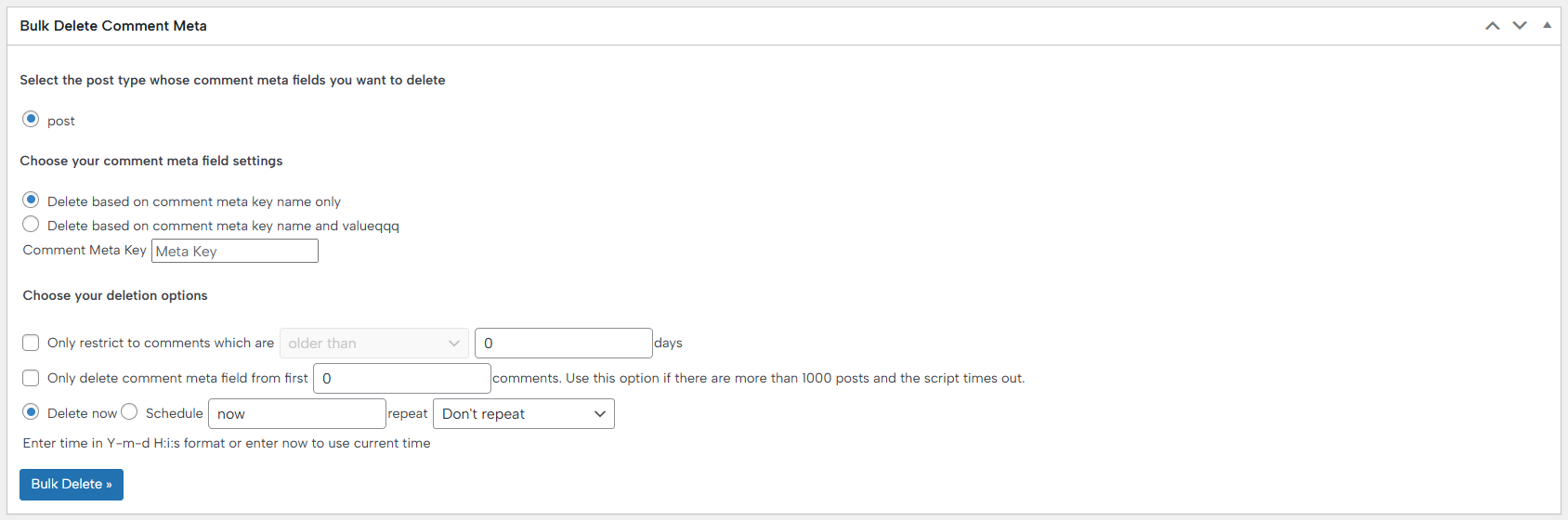
Bulk Delete Comment Meta is a powerful feature of the BulkWP plugin that allows you to clean up unnecessary or outdated comment metadata with precision and control. It lets you choose the specific post type whose comment meta fields you want to remove, making the cleanup process targeted and efficient.
You can delete comment metadata either by meta key name only or by both meta key name and value, depending on how specific your cleanup needs are. This flexibility is especially useful when dealing with plugins or themes that store excessive or obsolete comment metadata.
To avoid performance issues and ensure safe execution, Bulk Delete Comment Meta includes several restriction options. You can limit deletions to comments older than a specified number of days or restrict the process to only the first X comments—an important option when working with large databases where scripts may otherwise time out. Additionally, the feature supports scheduling, allowing you to automate comment meta cleanup at a convenient time without manual intervention.
Bulk Delete User Meta
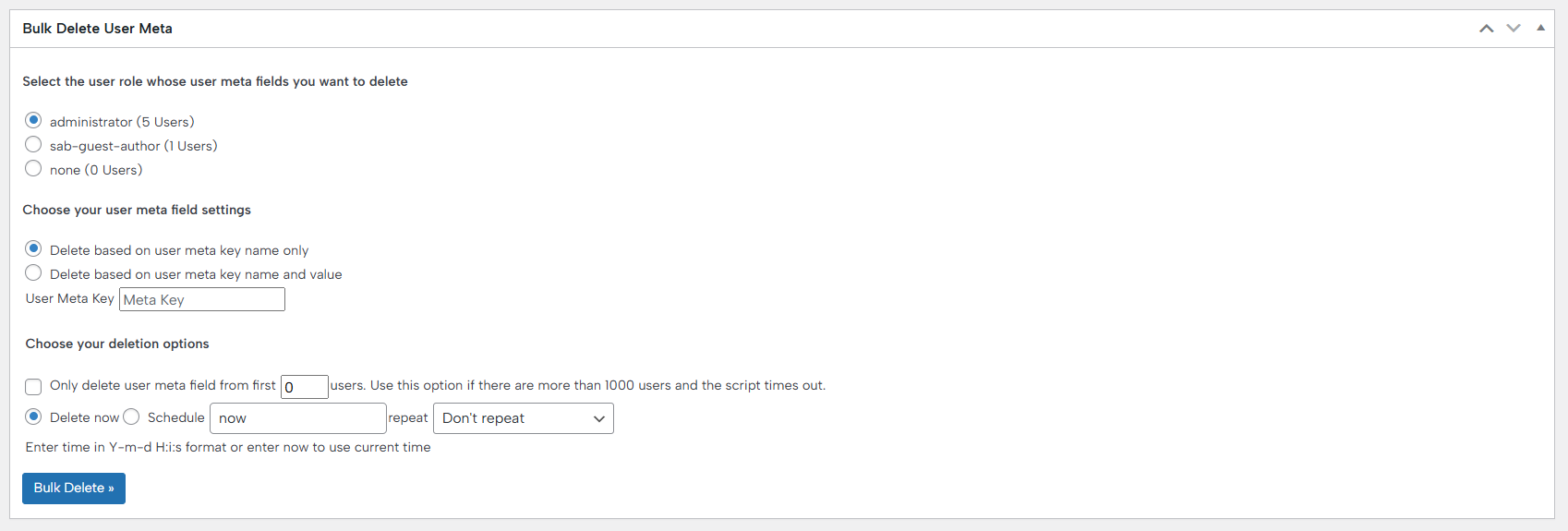
Bulk Delete User Meta is a powerful feature of the BulkWP plugin that allows you to efficiently clean up unnecessary or outdated user metadata. It gives you precise control over which user meta fields are removed, helping maintain a cleaner and more optimized WordPress database.
You can start by selecting the specific WordPress user role for which you want to delete user meta fields, ensuring the action only affects the intended users. Next, you can configure how user meta should be matched—either by deleting entries based on the user meta key name only or by targeting entries that match both a meta key name and a specific value.
For large websites, Bulk Delete User Meta includes flexible deletion options. You can limit the process to only the first X users, which is especially useful if your site has more than 1,000 users and you want to avoid server timeouts. Additionally, the plugin allows you to schedule the deletion, enabling automated cleanup at a time that best fits your workflow.
Documentation didn’t help? Contact support!
Customers with a valid PRO license can reach out to our support either through the plugin’s built-in contact form or the general contact form. If using the general form, be sure to include your license key, or contact us using the email address associated with your purchase to help us assist you faster.
Using the free version? We have you covered too. Head over to the forums. First look at older threads and if you don’t find anything useful, open a new thread. Support is community-powered so it can take some time to get an answer.