Canva is everywhere. It is easy. It is fast. It helps people design like pros without being designers. But Canva is not the only game in town. Many other platforms offer fresh features, smart tools, and even more creative freedom. Some are better for teams. Some are better for video. Some are built for serious designers. Let’s explore the best platforms that compete with Canva for content creation.
TLDR: Canva has strong competition. Tools like Adobe Express, Visme, Snappa, VistaCreate, and Figma offer similar or better features in certain areas. Some focus on branding, others on collaboration, and some on advanced design control. If Canva feels limiting or pricey, you have great alternatives to try.
Why Look Beyond Canva?
Canva is simple. That’s its biggest strength. But sometimes you need more control. Or better collaboration. Or unique templates. Maybe you want stronger video editing. Or deeper branding tools.
Different creators have different needs. A social media manager needs speed. A startup team needs collaboration. A designer needs precision. The good news? There is a platform for each of them.
1. Adobe Express
Adobe Express is like Canva’s polished cousin. It combines simplicity with Adobe power.
Why people love it:
- Easy drag and drop editor
- Strong brand kit tools
- Access to Adobe Stock photos
- Quick video creation features
- Seamless connection to Photoshop and Illustrator
It feels clean. It feels modern. And it is very beginner friendly.
If you already use Adobe products, this is a smart choice. You can move designs between tools smoothly. That saves time. A lot of time.
Best for: Small businesses, marketers, and Adobe lovers.
2. Visme
Visme focuses on presentations and data visuals. It is strong where Canva sometimes feels basic.
If you create reports, infographics, or slide decks, Visme shines.
Standout features:
- Advanced chart and graph tools
- Interactive presentations
- Data visualization elements
- Custom branding options
- Team collaboration features
Visme makes numbers beautiful. That’s not easy. But it does it well.
Best for: Educators, consultants, and corporate teams.
3. VistaCreate (Formerly Crello)
VistaCreate feels very close to Canva. The interface is familiar. The workflow is similar. But it has its own style.
It offers thousands of templates. Many are bold. Bright. Eye-catching.
Why choose VistaCreate?
- Large template library
- Strong animation features
- Built-in background remover
- Affordable pricing
- Simple editor
It’s great for social media graphics. Especially Instagram and Facebook posts. The animations are quick to apply. No stress. No complex timeline editing.
Best for: Social media creators and small brands.
4. Snappa
Snappa keeps things simple. Very simple.
If you get overwhelmed by too many options, Snappa might be perfect. It focuses on speed.
Snappa highlights:
- Pre-sized templates for social platforms
- Royalty-free stock photos
- Beginner-friendly interface
- Quick export options
There are fewer advanced tools. But that’s the point. You log in. You design. You download. Done.
Best for: Bloggers and solopreneurs who want fast graphics.
5. Figma
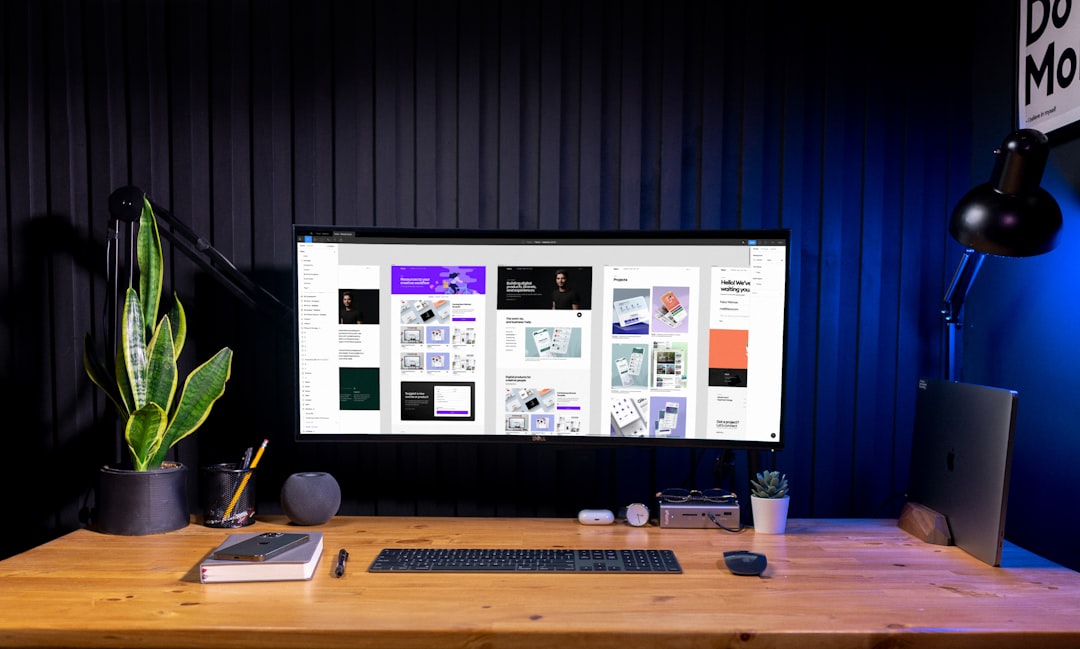
Figma is different. It’s more powerful. It’s not just for social posts. It’s for serious design.
It runs in your browser. But it acts like high-end software.
Image not found in postmetaWhy creators switch to Figma:
- Advanced layout control
- Real-time collaboration
- Design systems and components
- Prototyping features
- Strong community plugins
Figma is amazing for teams. Multiple people can edit at once. You see changes live. No emailing files back and forth.
It has a learning curve. But once you learn it, the possibilities explode.
Best for: Designers, startups, and product teams.
6. Piktochart
Piktochart is built for infographics. It makes complex information easy to show visually.
You can create reports, posters, and marketing visuals too. But data design is its superpower.
Main benefits:
- Drag-and-drop infographic builder
- Customizable charts
- Presentation tools
- Simple layout system
If your job involves explaining things clearly, Piktochart helps a lot.
Best for: Nonprofits, educators, and analysts.
7. Easil
Easil is a hidden gem. It focuses heavily on branding.
You can lock brand elements. That means team members cannot accidentally change logos or fonts. That’s huge for big teams.
What makes Easil unique:
- Brand control features
- Text effects and layers
- Team permissions
- Template customization tools
It blends simplicity with structure. Great for growing companies.
Best for: Businesses that care about brand consistency.
Quick Comparison Chart
| Platform | Best For | Strength | Ease of Use | Team Collaboration |
|---|---|---|---|---|
| Adobe Express | Marketers | Adobe integration | Easy | Good |
| Visme | Presentations | Data visualization | Moderate | Strong |
| VistaCreate | Social media | Animated content | Very Easy | Moderate |
| Snappa | Bloggers | Speed | Very Easy | Limited |
| Figma | Design teams | Advanced control | Moderate | Excellent |
| Piktochart | Infographics | Charts and reports | Easy | Good |
| Easil | Brand teams | Brand control | Easy | Strong |
How to Choose the Right Canva Alternative
Start with your goal. Ask simple questions.
- Do you need advanced design tools?
- Do you work with a team?
- Do you create lots of infographics?
- Do you want strong branding control?
- Do you mostly design social media posts?
If speed matters most, try Snappa or VistaCreate.
If teamwork matters most, try Figma or Visme.
If branding is critical, try Easil.
If you live in the Adobe world, pick Adobe Express.
There is no perfect tool. Only the right tool for your situation.
Final Thoughts
Canva changed content creation. It made design accessible. That is powerful.
But competition is good. It pushes tools to improve. It gives creators more choice. And that is great news for you.
Every platform listed here competes with Canva in its own way. Some beat it in collaboration. Some beat it in data visuals. Others focus on branding or advanced design systems.
The best advice? Try a few. Most offer free plans. Spend a weekend exploring. Test templates. Play with features. See what feels natural.
Design should feel fun. Not frustrating. The right tool makes a big difference.
And remember. Content creation is not about the tool. It’s about the message. The platform just helps you share it beautifully.