Building a website no longer requires a degree in computer science, weeks of trial and error, or expensive custom development. Modern website builders promise simplicity—but not all of them truly deliver when it comes to making design easy. Some overwhelm users with options, while others sacrifice flexibility for convenience. The platforms covered here strike a real balance: they minimize friction, guide users visually, and still allow room for creativity.
TLDR: The best website builders make design easy by combining intuitive drag-and-drop tools, high-quality templates, and automated design assistance. Platforms like Wix, Squarespace, Webflow, Shopify, and Squarespace stand out for different reasons depending on the user’s needs. The right choice depends on whether the focus is creative freedom, ecommerce power, or beginner simplicity. Comparing features side by side helps clarify which builder truly simplifies design instead of complicating it.
Website creation has evolved into a largely visual process. Today’s most effective builders rely on smart templates, AI-assisted layouts, and real-time editing to remove technical barriers. Below are the platforms that genuinely make design accessible—even for users with zero design background.
1. Wix – Maximum Creative Freedom Without Coding
Wix is often praised for its true drag-and-drop editor. Unlike grid-restricted systems, it allows users to move elements anywhere on the page. Text, images, buttons, videos, and interactive features can be positioned visually without touching code.
Why design feels easy on Wix:
- Over 800 professionally designed templates
- AI-powered design assistant (Wix ADI)
- Snap-to-grid alignment guides
- Large app marketplace for added functionality
Wix ADI is particularly useful for beginners. After answering a few questions, users receive a pre-designed website tailored to their industry. From there, adjustments are simple and visual.
Best for: Creatives, freelancers, small businesses wanting flexibility without coding.
2. Squarespace – Design Polish Out of the Box
Squarespace has built its reputation on beautifully crafted templates. Every theme follows consistent spacing, typography systems, and visual balance. That means even inexperienced users often end up with professional-looking results.
What makes Squarespace easy for design:
- Structured section-based editor prevents layout mistakes
- Built-in font and color palettes
- Strong image handling and gallery options
- Consistent mobile optimization
Unlike freeform builders, Squarespace’s structured approach limits design chaos. Users edit within pre-defined sections, making it difficult to create something visually unbalanced.
Best for: Portfolios, photographers, bloggers, and brands focused on visual storytelling.
3. Shopify – Ecommerce Design Made Simple
For online stores, Shopify simplifies design in a more focused way. Instead of overwhelming users with layout freedom, it centers everything around product presentation and conversion.
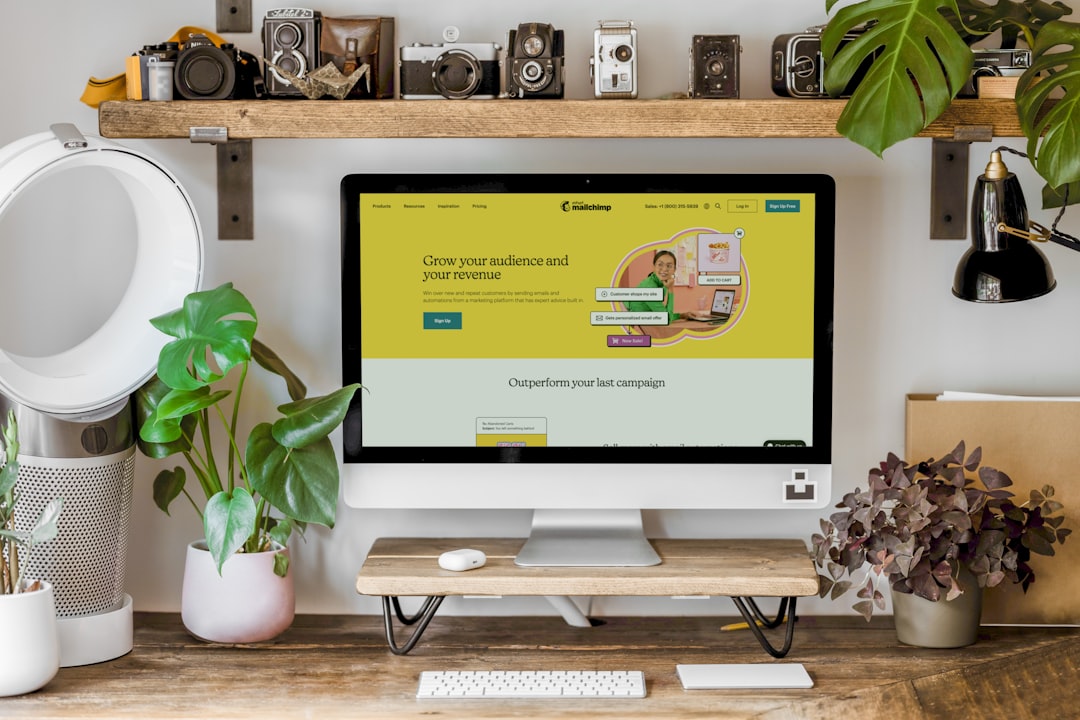
Design advantages of Shopify:
- Clean, conversion-optimized store templates
- Easy product grid customization
- Simple theme editor with live preview
- Mobile-first checkout design
Shopify themes are built specifically to drive sales. Product collections, featured items, and calls to action are already positioned strategically. That eliminates guesswork for beginners.
Best for: Entrepreneurs building product-based businesses.
4. Webflow – Advanced Design Control Without Developers
Webflow is often described as a bridge between design software and website builders. It gives users professional-level control while maintaining a visual interface.
Why designers love Webflow:
- Precise control over layout and spacing
- Visual CSS editing
- Reusable components and style systems
- Powerful animations and interactions
Although Webflow has a steeper learning curve, it simplifies complex design tasks that would otherwise require custom coding. It is ideal for designers who want pixel-perfect results without hiring developers.
Best for: Agencies, startups, and advanced users seeking flexibility.
5. Squarespace (Again) – Why It Also Wins in Simplicity
Squarespace deserves a second mention specifically for users who value speed over customization. Its guided editing flow ensures a website can be launched in a single afternoon.
Everything from typography scaling to spacing rules is automated. For many small business owners, fewer choices actually mean easier design decisions.
Comparison Chart: Which Website Builder Makes Design Easiest?
| Platform | Ease of Use | Design Freedom | Templates Quality | Best For |
|---|---|---|---|---|
| Wix | Very High | Very Flexible | Excellent | General websites, creatives |
| Squarespace | High | Moderate | Outstanding | Portfolios, blogs |
| Shopify | High | Focused on ecommerce | Professional | Online stores |
| Webflow | Moderate | Extremely High | Very Good | Advanced users, agencies |
What Actually Makes Design “Easy”?
Not all simplicity is created equal. Real ease in design typically comes from five key factors:
- High-quality templates – A strong starting point reduces bad design decisions.
- Drag-and-drop functionality – Visual editing is faster and less intimidating than code.
- Mobile responsiveness – Automatic mobile optimization prevents layout issues.
- Built-in design systems – Preset fonts, spacing, and color schemes maintain consistency.
- AI assistance – Smart content suggestions and automated formatting save time.
Platforms that integrate most of these elements make the user feel guided rather than overwhelmed.
Common Mistakes When Choosing a Website Builder
Even powerful platforms can feel difficult if chosen incorrectly. Many users make decisions based solely on price or popularity.
Frequent pitfalls include:
- Choosing an advanced builder without design experience
- Picking overly restrictive platforms and feeling trapped later
- Ignoring ecommerce needs when planning future growth
- Over-customizing templates and losing visual consistency
The smartest choice aligns the builder’s strengths with the user’s goals and comfort level.
How AI Is Changing Website Design Simplicity
AI-driven design tools are accelerating the shift toward easier website creation. Builders now generate layouts, color palettes, and even written content based on minimal user input.
For example:
- Wix ADI creates a draft site in minutes.
- Shopify Magic assists with product descriptions.
- Squarespace suggests coordinated typography and color themes.
This automation reduces decision fatigue—one of the biggest obstacles in web design.
Final Thoughts
The truth is that no website builder is universally perfect. However, some genuinely remove design barriers while still delivering professional results. Wix offers creative freedom, Squarespace delivers visual polish, Shopify streamlines ecommerce design, and Webflow empowers advanced creators.
The easiest platform is not necessarily the simplest one—it is the one that matches the user’s goals, experience level, and desired level of control.
Frequently Asked Questions (FAQ)
1. Which website builder is best for complete beginners?
Wix and Squarespace are often the easiest for beginners. Both provide intuitive editing and well-designed templates that reduce the need for technical skills.
2. Can someone build a professional website without design experience?
Yes. Modern builders provide structured templates, automated layout systems, and guided editing tools that help non-designers achieve polished results.
3. Is Wix or Squarespace better for creative control?
Wix generally offers more flexibility with its freeform editor. Squarespace focuses more on structured, design-consistent layouts.
4. What is the easiest ecommerce website builder?
Shopify is widely considered the easiest platform specifically for ecommerce. It simplifies product presentation, checkout design, and store management.
5. Does Webflow require coding knowledge?
No coding is required, but understanding basic design structure (like spacing and layout principles) helps significantly. Webflow is better suited for intermediate or advanced users.
6. Are AI website builders worth using?
AI can dramatically speed up the setup process and reduce design overwhelm. While manual adjustments may still be needed, AI assistance makes launching a site faster than ever.
Ultimately, the right builder turns website design from a technical chore into a creative process—one where ideas come to life visually, efficiently, and confidently.