Design in 2026 is faster, smarter, and a lot more fun. Canva is still a big name. But it is no longer the only easy tool in town. New platforms offer better AI features, deeper customization, and fresh templates that stand out. If you want stunning social posts, slick presentations, or scroll-stopping ads, you now have more exciting options than ever.
TLDR: Canva is great, but many powerful alternatives now offer smarter AI, better collaboration, and more advanced design features. Some tools focus on speed and automation. Others give you pro-level creative control. This guide breaks down the best Canva alternatives in 2026 so you can pick the one that fits your style and workflow.
Let’s explore the top-notch Canva alternatives that are making waves this year.
1. Adobe Express
Adobe Express has grown up. A lot.
In 2026, it feels less like a “lite” tool and more like a creative powerhouse made simple. It blends professional polish with beginner-friendly controls.
Why people love it:
- Seamless integration with Photoshop and Illustrator
- Advanced AI image generation
- Brand kits with smart style suggestions
- Quick social media resizing tools
If you want Canva’s simplicity but with deeper control, Adobe Express is a strong pick.
It works especially well for:
- Small businesses
- Content creators
- Marketing teams
The AI background remover and text effects feel smooth and fast. You get professional results without feeling overwhelmed.
2. VistaCreate
VistaCreate is playful. Bright. And very social-media focused.
It offers thousands of animated templates. This makes it perfect for Instagram Reels, TikTok promos, and eye-catching ads.
Top features:
- Huge animation library
- One-click design resizing
- Built-in stock photos and videos
- Simple drag-and-drop interface
It feels similar to Canva. But it leans harder into motion graphics. If you post daily on social media, this tool saves serious time.
Beginners love its simplicity. Agencies appreciate its speed.
3. Snappa
Snappa focuses on one thing: speed.
No clutter. No complicated menus. Just what you need to design fast.
It’s ideal for bloggers, entrepreneurs, and marketers who want quick graphics without digging through endless features.
- Pre-sized templates for blogs and ads
- Royalty-free stock built in
- Clean, distraction-free editor
Snappa may not have the advanced AI of others. But sometimes simple wins.
4. Visme
Visme shines in presentations and infographics.
If your work involves data, reports, or pitch decks, Visme feels more powerful than Canva.
Why Visme stands out:
- Interactive charts and graphs
- Animated infographics
- Collaboration tools for teams
- Advanced branding control
It’s great for:
- Educators
- Startup founders
- Corporate teams
In 2026, storytelling with data matters more than ever. Visme helps you turn numbers into visuals people actually enjoy.
5. Figma
Figma is not just for designers anymore.
While it began as a UI/UX design tool, it has evolved into a collaborative visual platform. And yes, it competes with Canva.
It offers:
- Real-time collaboration
- Advanced layout control
- Vector editing tools
- Deep customization options
Figma is perfect if:
- You work in teams
- You want pixel-level precision
- You design websites or apps
It has a learning curve. But once you get it, it feels incredibly powerful.
6. Kittl
Kittl has exploded in popularity.
Why? Because it makes typography design insanely easy.
If you love bold fonts, logo creation, and vintage-style graphics, Kittl is a dream.
- One-click text effects
- Advanced typography tools
- AI image generation
- Beautiful mockups
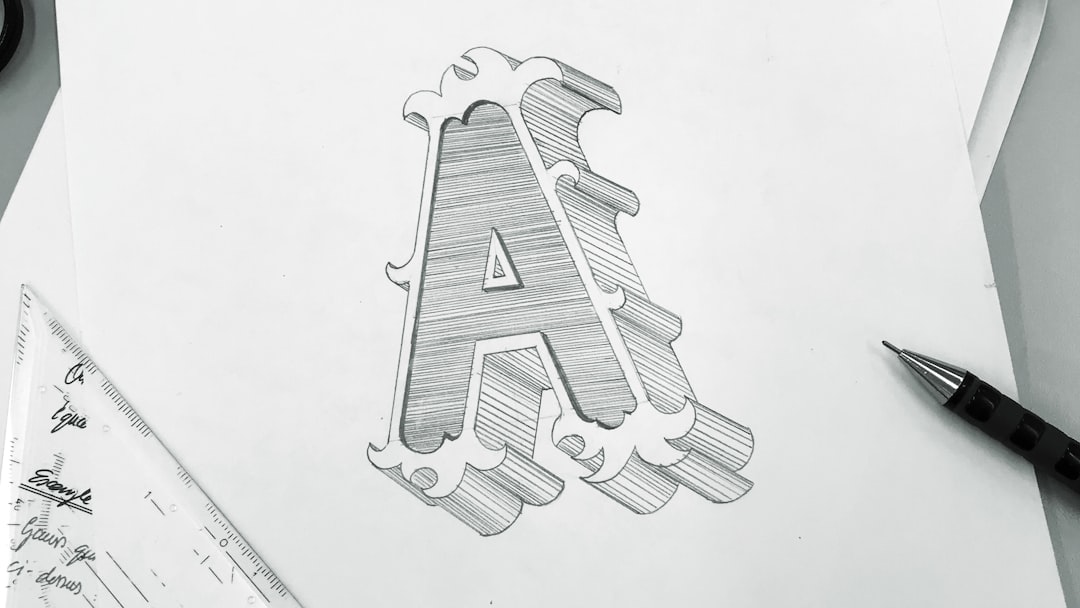
Kittl feels modern. Clean. Creative.
Many Etsy sellers and print-on-demand designers are switching to it. It gives them designs that look handcrafted without spending hours tweaking text.
7. Piktochart
Piktochart focuses on visual storytelling.
It works best for reports, educational graphics, and internal communications.
It offers:
- Clean infographic templates
- Simple drag-and-drop interface
- Team sharing features
- Brand consistency tools
It may not be flashy. But it is reliable.
If your goal is clarity over creativity, Piktochart delivers.
Quick Comparison Chart
| Tool | Best For | AI Features | Ease of Use | Team Collaboration |
|---|---|---|---|---|
| Adobe Express | Marketing and branding | Strong | Easy | Good |
| VistaCreate | Social media animation | Moderate | Very Easy | Basic |
| Snappa | Fast graphics | Light | Very Easy | Limited |
| Visme | Presentations and data | Moderate | Medium | Strong |
| Figma | UI and pro design | Growing | Advanced | Excellent |
| Kittl | Typography and logos | Strong | Easy | Moderate |
| Piktochart | Infographics | Light | Easy | Good |
How to Choose the Right Canva Alternative
Start with one question.
What do you design most?
- Social posts? Try VistaCreate.
- Serious presentations? Go with Visme.
- Typography-heavy merch? Kittl is your friend.
- Fast marketing graphics? Adobe Express wins.
- App or web layouts? Figma dominates.
Next, think about your skill level.
Some tools are plug-and-play. Others need practice. If you enjoy learning advanced controls, Figma may excite you. If you want instant results, Snappa keeps things stress-free.
Also consider collaboration.
In 2026, design is rarely solo. Teams need shared folders, live editing, and brand consistency. Visme and Figma shine here.
AI Is Changing Everything
Most top design tools now include AI.
Here’s what that means for you:
- Automatic background removal
- Text-to-image generation
- Smart layout suggestions
- Instant brand style matching
This saves time. A lot of time.
You can now type a short prompt and get a finished visual draft in seconds. Then you just tweak and polish.
In short, design tools in 2026 help you think bigger and work faster.
Free vs Paid Versions
Most Canva alternatives offer free plans.
But free often comes with:
- Limited templates
- Watermarks
- Restricted downloads
If you design often, paid plans are usually worth it. They unlock premium stock, advanced AI, and brand kits.
The good news? Compared to hiring a designer, these tools are still very affordable.
Final Thoughts
Canva opened the door for easy design.
But 2026 gives you choices that are sharper, smarter, and sometimes more specialized.
There is no single “best” tool.
There is only the tool that fits your workflow.
If you love animation, go dynamic. If you love clean data visuals, go structured. If you want pixel-perfect control, go advanced.
Design should feel exciting, not frustrating.
Try one or two from this list. Experiment. Play. Create something bold.
Because today, stunning design is no longer limited to professionals.
It’s available to anyone with an idea and the right tool.