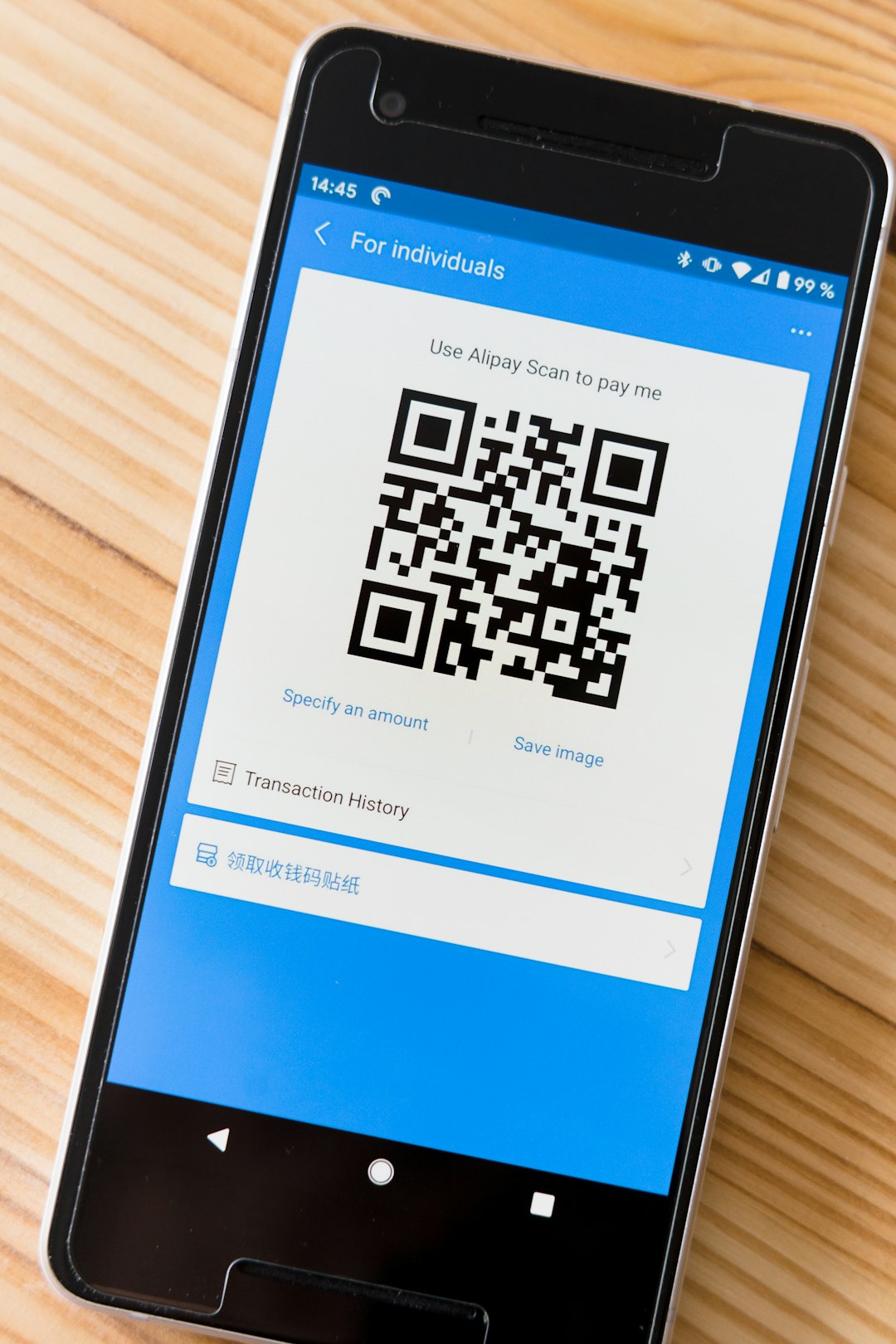
QR codes have become an essential tool for businesses, marketers, educators, and creators who want to instantly connect offline audiences with digital content. Whether it’s linking to a website, sharing Wi-Fi credentials, promoting an app, or enabling contactless payments, QR codes make it simple and fast. With the rise of mobile-first interactions, having access to a reliable and customizable QR code generator is more important than ever. Fortunately, numerous tools allow users to create custom QR codes in seconds—many without requiring technical skills.
TLDR: QR code generators make it easy to create scannable codes for websites, contact details, social media, payments, and more. The best tools offer customization, tracking, dynamic editing, and download options in various formats. This guide reviews 15 of the best QR code generators available today, along with a comparison chart and FAQs to help users choose the right one.
Why Use a Custom QR Code Generator?
A basic black-and-white QR code works, but modern generators allow users to add colors, logos, frames, calls-to-action, and analytics tracking. Businesses benefit from branded QR codes that increase trust and engagement, while dynamic QR codes allow links to be edited after printing.
Key features to look for include:
- Static vs. Dynamic Codes
- Customization Options (colors, logos, shapes)
- Analytics and Tracking
- Download Formats (PNG, SVG, PDF)
- Ease of Use
15 Best QR Code Generators to Create Custom Codes in Seconds
1. The QR Code Generator
This widely used tool supports both static and dynamic codes. Users can create QR codes for URLs, vCards, Wi-Fi, SMS, and more. It includes basic customization and analytics features for paid plans.
2. QR Code Monkey
Known for its extensive design options, QR Code Monkey allows users to add logos, change colors, and customize code shapes. It offers high-resolution downloads, making it ideal for print materials.
3. Beaconstac
A powerful solution for businesses, Beaconstac offers dynamic QR codes, tracking analytics, and campaign management tools. It is especially popular among marketing teams.
4. Flowcode
Flowcode combines user-friendly design with robust tracking capabilities. Users can create visually appealing codes while monitoring scan data in real time.
5. QRStuff
Offering over 20 data types, QRStuff supports URLs, email, phone numbers, PayPal links, and more. The platform allows color customization even in its free version.
6. Scanova
Scanova provides dynamic QR codes and detailed analytics. It also includes templates for business cards, product packaging, and event promotions.
7. Unitag QR Code Generator
Unitag stands out for its design flexibility. It offers gradient colors, logo embedding, and detailed customization options for more visually appealing codes.
8. GoQR.me
A simple and free QR code generator ideal for users who need quick, no-frills codes. It supports multiple data types but offers limited customization.
9. Shopify QR Code Generator
Primarily designed for eCommerce businesses, this generator helps merchants create QR codes linking to product pages and checkout experiences.
10. Visualead
Visualead focuses on highly visual, branded QR codes. It enables creative overlays that integrate QR patterns into images.
11. Kaywa QR Code Generator
Kaywa offers both free and subscription-based services with advanced features like scan tracking and mobile landing pages.
12. QR Tiger
QR Tiger supports dynamic codes, analytics, and retargeting tools. It also provides multi-URL QR codes that change based on user location.
13. ZebraQR
A straightforward tool for creating customizable QR codes quickly. It includes basic analytics for marketing campaigns.
14. Delivr
Delivr specializes in marketing analytics and dynamic QR codes. It’s well-suited for brands running interactive campaigns.
15. Pageloot
Pageloot offers customization, PDF QR codes, and editable dynamic links. Its dashboard makes tracking performance simple.
Comparison Chart
| Tool | Dynamic Codes | Customization | Analytics | Best For |
|---|---|---|---|---|
| QR Code Generator | Yes | Moderate | Paid Plans | General Use |
| QR Code Monkey | No | Extensive | No | Design Flexibility |
| Beaconstac | Yes | Advanced | Yes | Marketing Teams |
| Flowcode | Yes | High | Yes | Brand Campaigns |
| Scanova | Yes | High | Yes | Businesses |
| GoQR.me | No | Basic | No | Quick Free Use |
| QR Tiger | Yes | High | Yes | Advanced Marketing |
| Pageloot | Yes | Moderate | Yes | Small Business |
Static vs. Dynamic QR Codes
Static QR codes contain fixed information that cannot be changed once generated. They are free and suitable for simple links.
Dynamic QR codes, on the other hand, allow users to update destination URLs without reprinting the code. They also provide tracking analytics such as scan location, device type, and time.
For marketing campaigns or long-term projects, dynamic codes are typically the better investment.
How to Choose the Right QR Code Generator
When selecting a generator, users should evaluate the following:
- Purpose: Is the QR code for personal, business, or marketing use?
- Customization Needs: Does the brand require logos and color changes?
- Tracking Requirements: Is scan data important?
- Budget: Are free features sufficient, or is a paid plan needed?
- Download Quality: Is vector format required for printing?
Businesses running campaigns across print ads, packaging, and digital media often benefit from analytics-driven platforms like Beaconstac, Flowcode, or QR Tiger. Casual users may prefer simple tools like GoQR.me or QR Code Monkey.
Best Practices for Creating Effective QR Codes
- Ensure High Contrast: Use dark codes on light backgrounds for better scan accuracy.
- Add a Call to Action: Include text like “Scan Me” to boost engagement.
- Test Before Printing: Always test across multiple devices.
- Optimize Landing Pages: Ensure mobile responsiveness.
- Maintain Adequate Size: Make codes large enough to scan easily.
Following these best practices increases scan rates and overall campaign effectiveness.
Frequently Asked Questions (FAQ)
1. Are QR code generators free to use?
Many QR code generators offer free static codes. However, advanced features like dynamic editing, analytics, and branding typically require a paid subscription.
2. What is the difference between static and dynamic QR codes?
Static codes cannot be edited once created, while dynamic codes allow users to change the destination URL and track scan data.
3. Can QR codes expire?
Static QR codes do not expire. Dynamic QR codes may expire depending on the subscription plan of the provider.
4. Is it possible to track who scans a QR code?
Dynamic QR codes can provide analytics such as location, device type, and scan frequency. They do not typically reveal personal identity unless users voluntarily submit information.
5. What file format is best for printing QR codes?
Vector formats like SVG or PDF are ideal for printing because they maintain quality at any size.
6. Can a QR code include a logo?
Yes, many generators allow users to embed logos within the QR code while maintaining scannability.
7. Do customized QR codes scan as well as standard ones?
When designed properly with sufficient contrast and error correction, customized QR codes scan just as effectively as traditional black-and-white versions.
Conclusion: The best QR code generator depends on individual needs—whether simplicity, advanced analytics, or creative branding is the priority. With the tools listed above, anyone can create custom QR codes in seconds and leverage them for marketing, communication, and engagement.