Building a website used to feel like building a spaceship with a spoon. Not anymore. Today, website builders let you drag, drop, click, and publish. But there are many choices. Some are fast. Some are pretty. Some are cheap. Some are secretly hungry for your wallet.
TLDR: Wix is the best all-rounder for most people. Squarespace is great for beautiful designs. Shopify wins for serious online stores. If you want speed and low cost, look at Hostinger Website Builder or GoDaddy.
What Is a Website Builder?
A website builder is a tool that helps you make a website without coding. You pick a template. You add your text. You upload images. Then you press publish. Boom. You have a site.
Most builders include hosting. That means your website has a place to live online. Many also include security, backups, forms, blogs, stores, and marketing tools.
Think of it like a sandwich shop. You choose the bread, fillings, sauce, and size. The builder handles the kitchen.
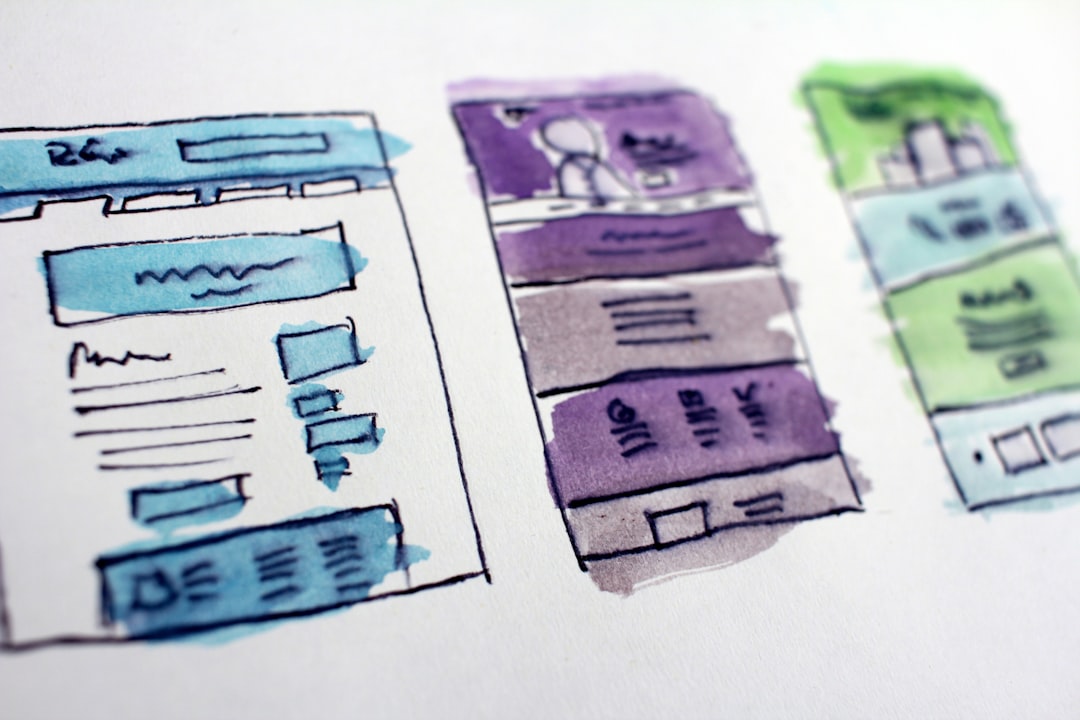
How We Compare Website Builders
To keep things simple, we will compare each builder using three big things:
- Features: What can it do?
- Pricing: How much does it cost?
- Performance: How fast and reliable is it?
We will also look at ease of use. Because nobody wants to cry into their keyboard.
1. Wix: The Friendly All-Rounder
Wix is one of the most popular website builders. It is flexible. It is easy. It has many templates. You can build a business site, blog, portfolio, restaurant page, or small shop.
The drag-and-drop editor is very free. You can move things almost anywhere. This is fun. It can also get messy. Like giving a toddler a paintbrush.
Best features:
- Big template library.
- Easy drag-and-drop editor.
- Built-in SEO tools.
- App market with extra tools.
- Booking, forms, blogs, and online store options.
Pricing: Wix has a free plan, but it shows Wix branding. Paid plans often start around $17 per month, depending on your region and billing cycle. Business and ecommerce plans cost more.
Performance: Wix speed is decent. It is not always the fastest. Large images and many apps can slow it down. Still, for most small sites, it works well.
Verdict: Wix is great if you want control without code. It is a safe choice for beginners.
2. Squarespace: The Stylish One
Squarespace is the fashion model of website builders. Its templates look polished. Clean lines. Big images. Smooth layouts. Very “I drink expensive coffee.”
It is popular with designers, photographers, writers, and service businesses. The editor is more structured than Wix. You cannot move everything anywhere. But that helps your site stay neat.
Best features:
- Beautiful templates.
- Strong blogging tools.
- Good image galleries.
- Built-in email marketing options.
- Decent ecommerce tools.
Pricing: Squarespace usually starts around $16 per month when paid yearly. Ecommerce features cost more. There is no permanent free plan, but there is usually a trial.
Performance: Squarespace sites are stable and reliable. Speed is okay. Heavy images can slow pages down. Since many Squarespace sites use large photos, image compression matters.
Verdict: Pick Squarespace if design matters most. It makes good-looking sites with less effort.

3. Shopify: The Store Boss
Shopify is built for selling. If your website is mostly an online store, Shopify is hard to beat. It handles products, payments, shipping, taxes, discounts, inventory, and more.
It is not the cheapest. It is also not the best choice for a simple blog or portfolio. But for ecommerce, it is powerful. Very powerful. Like a shopping cart with rocket boosters.
Best features:
- Excellent product management.
- Many payment options.
- Strong app store.
- Good shipping and tax tools.
- Works well for small and large stores.
Pricing: Shopify plans often start around $29 per month when billed yearly. More advanced plans cost more. Apps can also add monthly fees. Payment processing fees may apply.
Performance: Shopify is reliable. It is built for busy stores. Pages are usually fast if your theme is clean and your images are optimized.
Verdict: Choose Shopify if selling is your main goal. For serious ecommerce, it is the champ.
4. WordPress.com: The Blogger With Muscles
WordPress.com is different from WordPress.org. WordPress.com is hosted for you. That means less setup. It is good for blogs, content sites, and growing businesses.
It can be simple or advanced. The more you pay, the more control you get. On higher plans, you can use plugins and custom themes. That opens a big toolbox.
Best features:
- Excellent blogging tools.
- Good content management.
- Many themes.
- Plugin support on higher plans.
- Good for SEO-focused sites.
Pricing: WordPress.com has a free plan. Paid plans can start around $4 per month, but useful business features cost more. Plugin access is often on higher plans.
Performance: Performance depends on your plan, theme, and plugins. A simple site can be fast. A plugin-heavy site can become slow. Choose carefully.
Verdict: Pick WordPress.com if content is your main thing. It is great for blogs, guides, and resource sites.
5. Webflow: The Designer’s Playground
Webflow is for people who want design power. It feels more advanced than Wix or Squarespace. You can create custom layouts with fine control. But there is a learning curve.
If Wix is a toy box, Webflow is a pro workshop. It has sharper tools. Please do not run with them.
Best features:
- Advanced visual design tools.
- Clean code output.
- Strong animations.
- CMS tools for dynamic content.
- Great for agencies and designers.
Pricing: Webflow has a free starter option. Paid site plans often start around $14 per month when billed yearly. CMS and business plans cost more. Ecommerce plans are higher.
Performance: Webflow can be very fast. Clean builds perform well. But fancy animations and huge assets can slow things down.
Verdict: Webflow is best for designers and teams who want control. Beginners may need patience.
6. GoDaddy Website Builder: The Quick Fix
GoDaddy Website Builder is made for speed. You can create a basic site very quickly. It is good for local businesses, simple pages, and people who want to be online by lunch.
The editor is simple. That is both good and bad. It is easy to use, but not very flexible. You will not create a wildly custom design here.
Best features:
- Very easy setup.
- Marketing tools included.
- Appointment and contact options.
- Good for simple business sites.
- Fast publishing process.
Pricing: Plans often start around $10 to $12 per month, depending on offers and billing. Ecommerce costs more.
Performance: GoDaddy sites are usually quick because they are simple. Fewer design extras can mean faster loading.
Verdict: Choose GoDaddy if you need a simple site fast. It is not fancy, but it gets the job done.

7. Hostinger Website Builder: The Budget Buddy
Hostinger Website Builder is a strong low-cost option. It is simple, modern, and beginner-friendly. It includes AI tools, templates, ecommerce basics, and hosting.
It is not as deep as Shopify. It is not as flexible as Webflow. But it is affordable and easy. Sometimes that is exactly what you need.
Best features:
- Low pricing.
- Simple editor.
- AI content and design tools.
- Basic ecommerce support.
- Good value for small websites.
Pricing: Hostinger often runs discounts. Plans may start under $5 per month when bought for longer terms. Renewal prices can be higher, so check the details.
Performance: Hostinger sites can be fast, especially simple ones. It is a good pick for small business sites, landing pages, and portfolios.
Verdict: Choose Hostinger if price matters. It gives solid value without much fuss.
Quick Comparison Table
| Builder | Best For | Starting Price | Performance |
|---|---|---|---|
| Wix | General websites | Around $17/month | Good |
| Squarespace | Beautiful designs | Around $16/month | Good |
| Shopify | Online stores | Around $29/month | Very good |
| WordPress.com | Blogs and content | Around $4/month | Varies |
| Webflow | Custom design | Around $14/month | Very good |
| GoDaddy | Fast simple sites | Around $10/month | Good |
| Hostinger | Budget websites | Often under $5/month | Good |
Features That Matter Most
Do not choose a builder just because it has a shiny button. Shiny buttons are nice. But they do not pay the bills.
Look for these key features:
- Templates: A good template saves time.
- Mobile design: Your site must look good on phones.
- SEO tools: You need titles, descriptions, and clean URLs.
- Forms: People need to contact you.
- Ecommerce: If you sell, check product and payment tools.
- Blogging: Useful for updates, guides, and traffic.
- Support: Good help can save your day.
Pricing: Watch the Sneaky Stuff
Website builder pricing can be tricky. The sticker price is not always the full story.
Watch for:
- Renewal prices: First-year discounts may end.
- Transaction fees: Some builders charge on sales.
- App costs: Extra tools can add monthly bills.
- Email costs: Business email may be separate.
- Domain costs: Free domains may only last one year.
Always check the checkout page. Read the small print. Yes, it is boring. So is stepping on a financial Lego.
Performance: Speed Is Not Optional
People are impatient online. If your site loads slowly, visitors leave. Search engines may also rank slow sites lower.
To keep your site fast:
- Use smaller images.
- Avoid too many apps.
- Choose a clean template.
- Do not autoplay giant videos.
- Test your site on a phone.
Shopify and Webflow often perform very well. Wix and Squarespace are fine for most users. GoDaddy and Hostinger can be fast because they keep things simple.
Which Website Builder Should You Pick?
Here is the simple answer:
- Pick Wix if you want the best all-around choice.
- Pick Squarespace if you want a gorgeous site fast.
- Pick Shopify if you run an online store.
- Pick WordPress.com if you publish lots of content.
- Pick Webflow if you want advanced design control.
- Pick GoDaddy if you need something simple today.
- Pick Hostinger if you want the lowest cost.
Final Thoughts
The best website builder is not the fanciest one. It is the one that fits your goal. A bakery does not need the same site as a fashion brand. A blogger does not need the same tools as a giant online store.
Start with your purpose. Then compare features, pricing, and performance. Try a free plan or trial when possible. Click around. Break things a little. That is how you learn.
And remember this: your first website does not need to be perfect. It just needs to exist. You can improve it over time. The internet is not carved in stone. It is more like soup. You can keep stirring.